
Step 1: Download the Ibo player app from this URL.
Step 2: Open the IBO player app and send us via email or whatsapp your MAC address and device key details.
Step 3: Wait for a few seconds.
Step 4: we will add a playlist “EUROCAST”, choose it.
Step 5: Click on the “Live TV” icon in the app.
Step 6: Select the channel group you wish to watch.
Step 7: Click on the channel name, then double-click the small screen to go full-screen.
Open the application either from your Start menu or the desktop shortcut (if you created one during installation).
send us the mac address and key device shown on the app
Upon launching the app, you will see our playlist “EUROCAST” . you can access it easily and watch whatever you like.
Start Streaming:
Once logged in, you can browse the extensive library of channels and start streaming your favorite content. Enjoy seamless entertainment with IBO PLAYER!
Installation IBO player on MAC:
To install IBO player app on your Mac, follow these detailed steps:
Download the Application:
Begin by downloading the IBO player application for macOS. Click here to access the official download page. Ensure you are downloading from a trusted source to avoid any security risks.
1: From your device’s home screen, hover over the Search option.
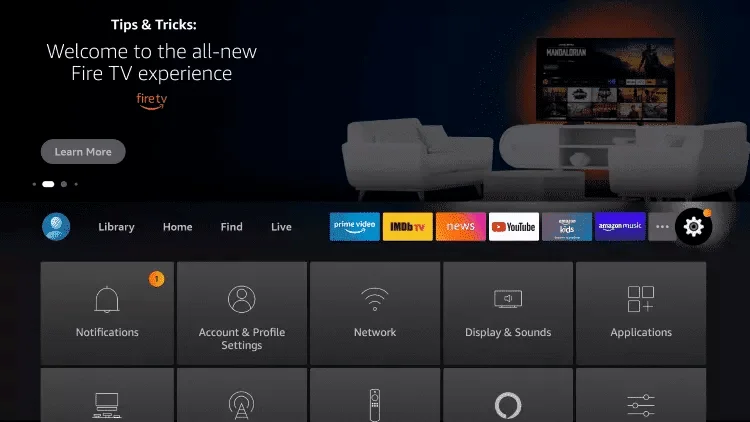
2. Click on Search.
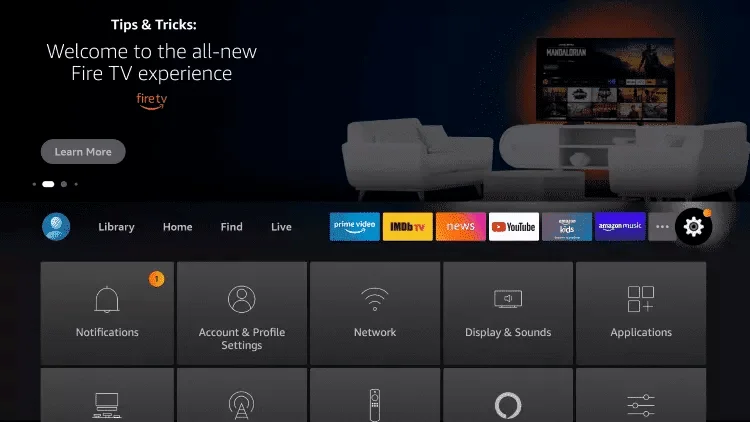
3.Search for and select Downloader
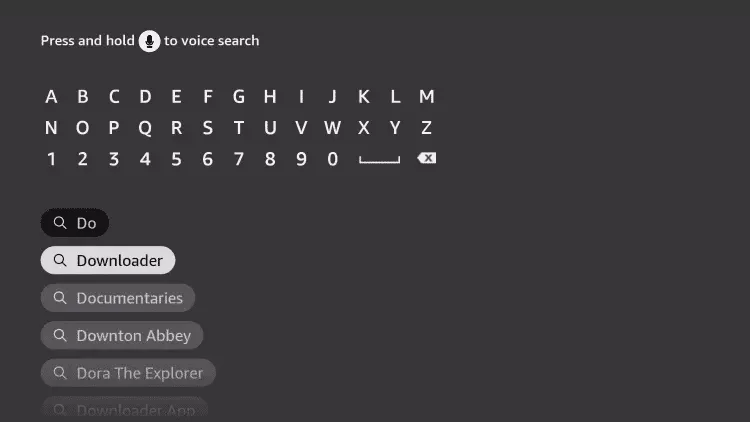
4. Choose the Downloader application.
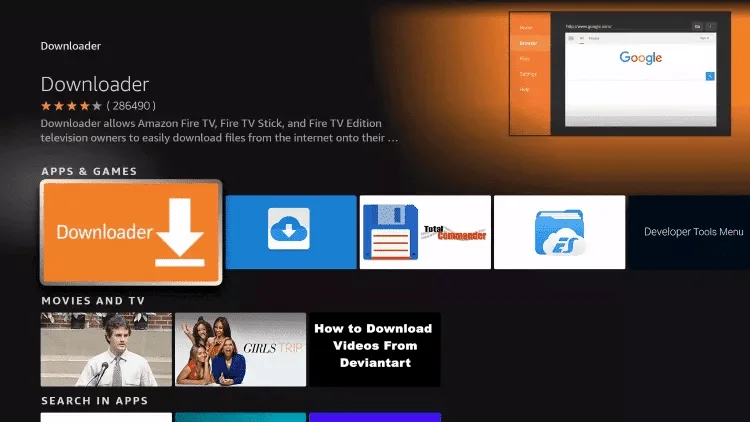
5. Click on Download.
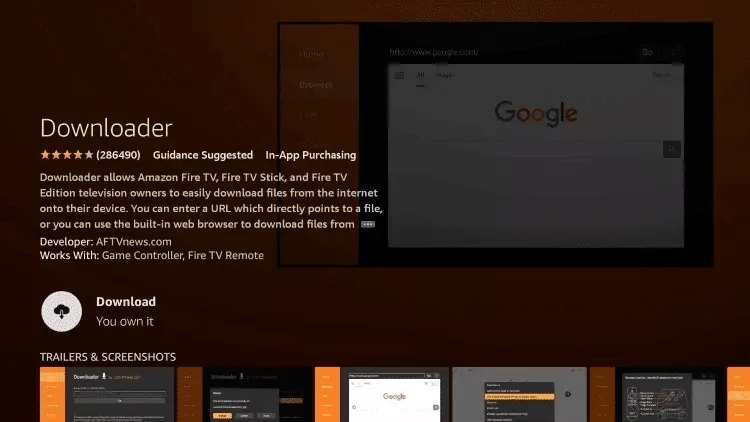
6.Once the application installation is complete, click on Open.
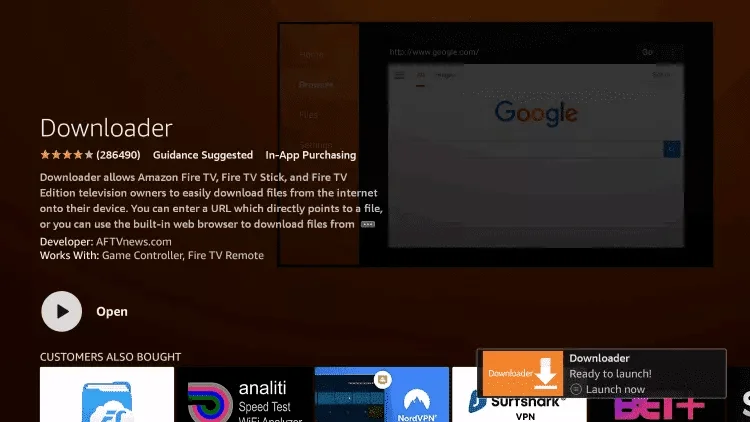
7. Go back to the home screen and open Settings.
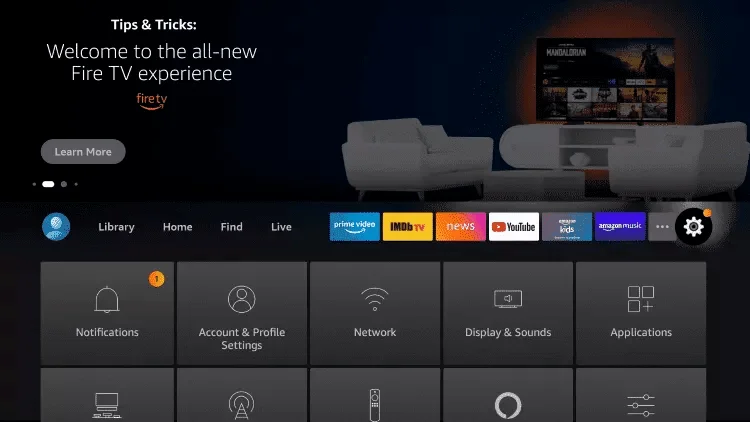
8. Click on My Fire TV.
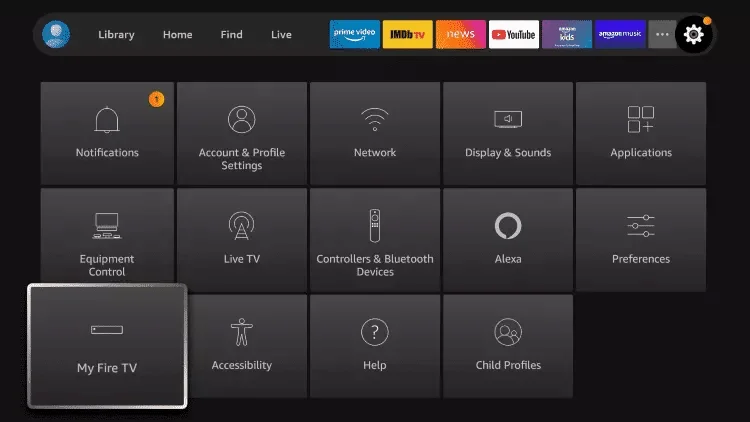
9. Select Developer options.
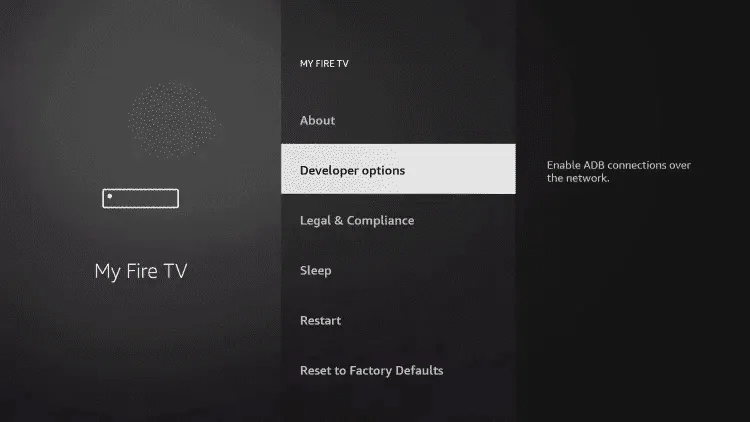
10. Click on Install Unknown Apps.
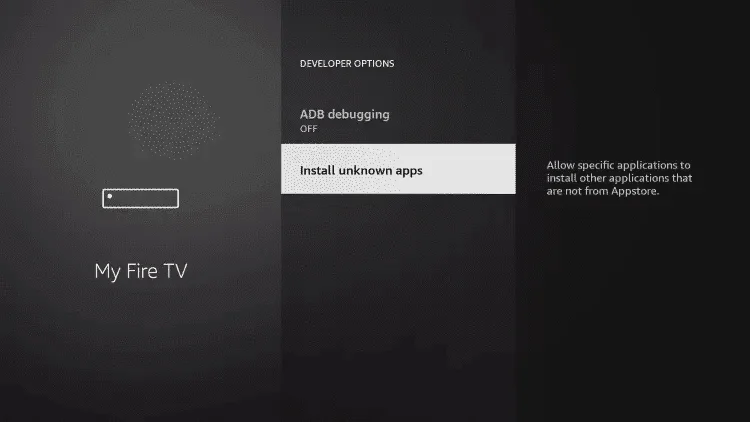
11. Find the Downloader app and click on it.
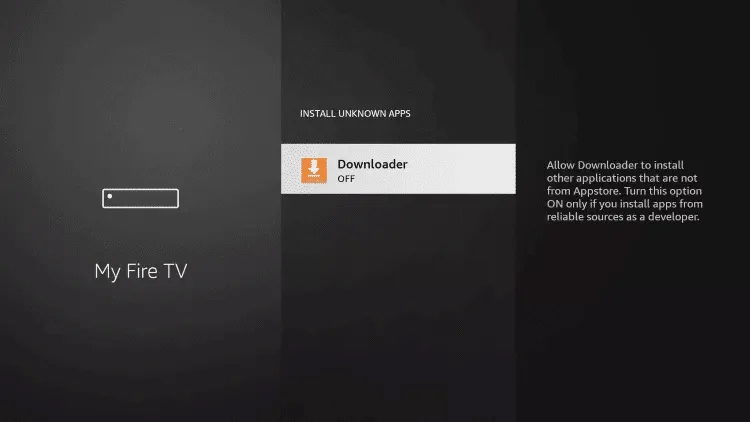
12. This will enable Unknown Sources for the Downloader app, allowing sideloading on your device.
13. Launch Downloader.
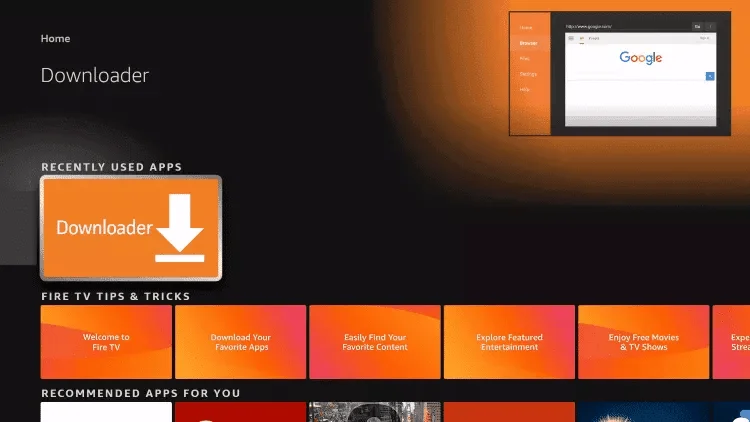
14. Click on Allow
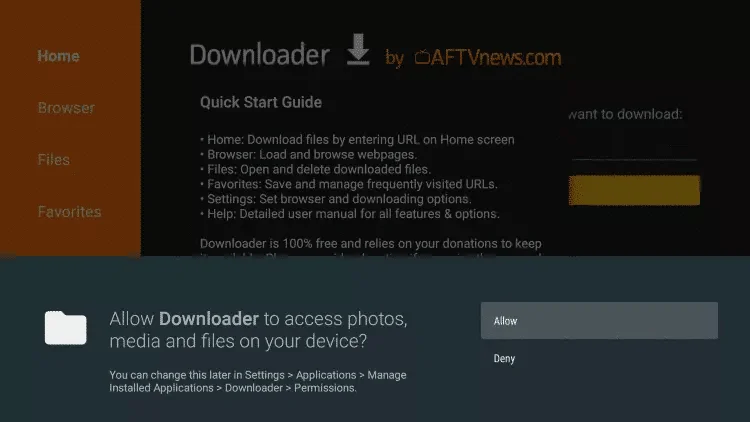
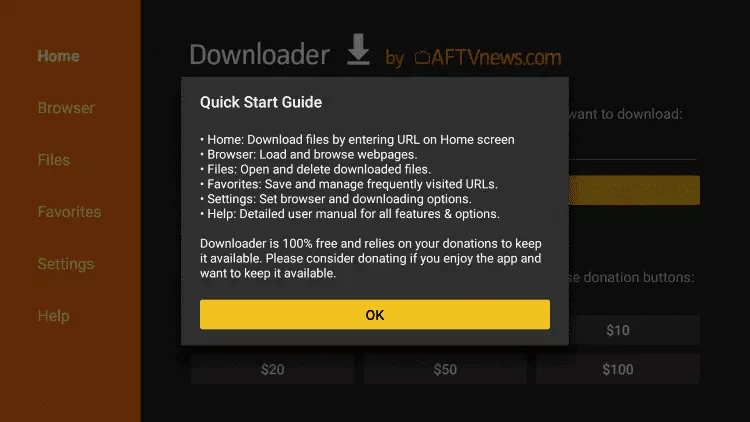
15. Click on Allow.
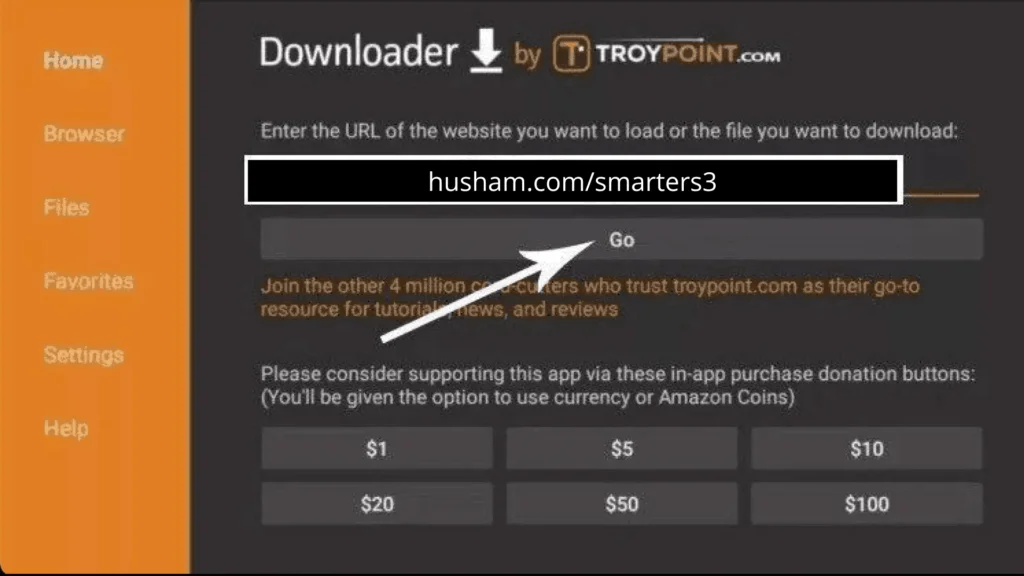
16.Type the following URL exactly as shown: https://www.iboplayer.com/smarters.apk and click on Go.
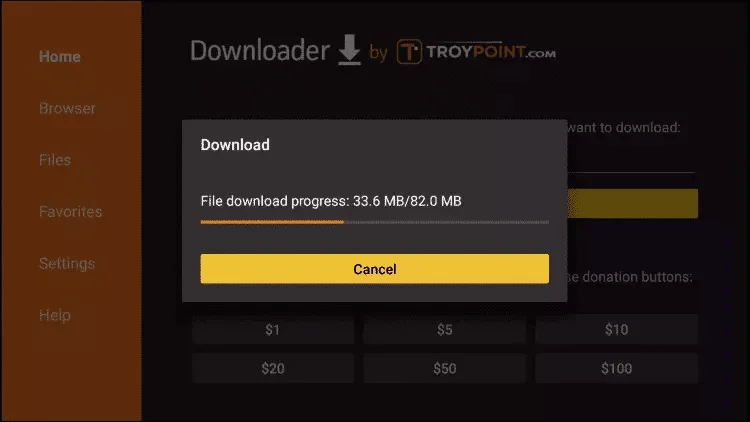
17. Wait for the file to download.
18. Click on Install.
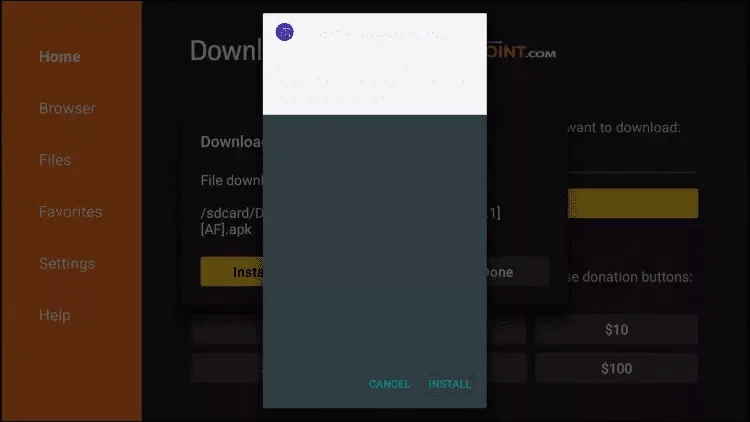
19. Click on done
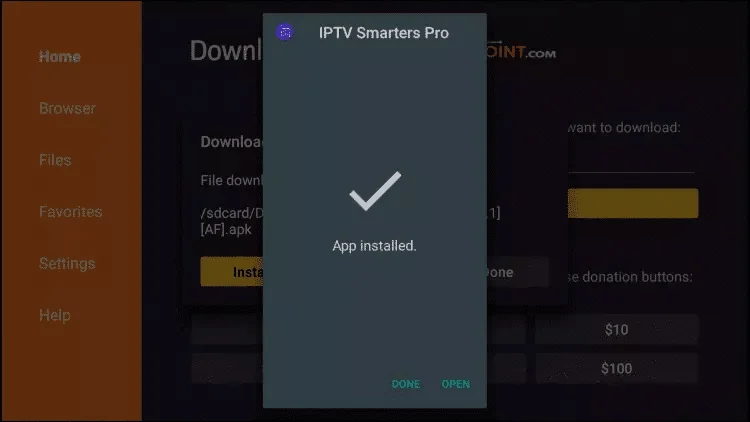
20.Open IBO player app, then send us the mac address and device key via whatsapp or email and wait few seconds.
21.You will see a playlist named “EUROCAST” click on it and bingo you got in and enjoy.
Step 1: Start by downloading the ibo player app from the Apple Store using this URL: https://apps.apple.com/ma/app/ibo-player/id1547652240?l=fr-FR
Step 2: Open the app once downloaded and send us your mac address and device key.
Step 3: wait a few seconds and enter to the playlist named “EUROCAST”.
Step 5: Click on the “Live TV” icon as shown in the image.
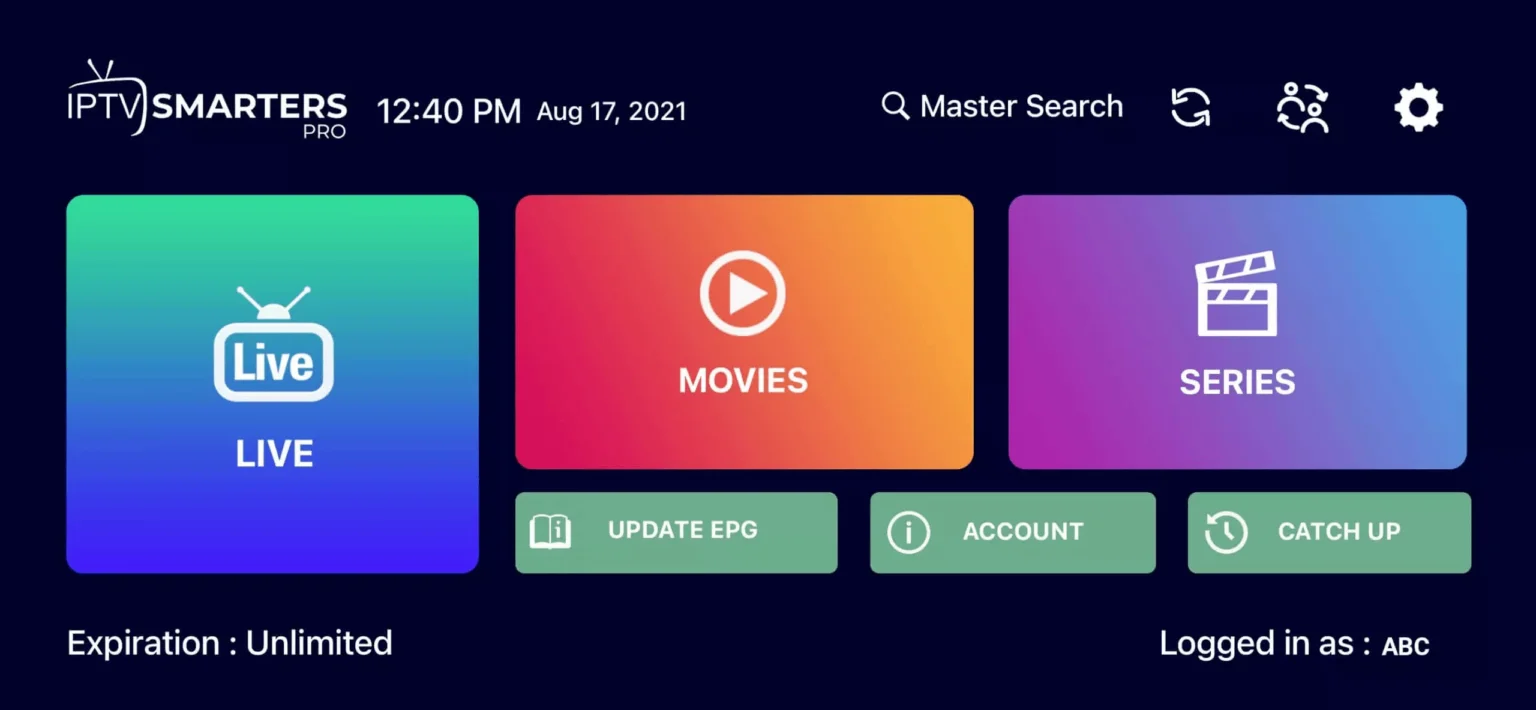
Step 6: Now, select the channel group you want to watch and proceed to the next section.
Step 7: Click on the channel name, then double-click on the small screen to go full screen in the final step.
Step 1: Press the Smart Hub button on your remote to access the app menu.
Step 2: Use the on-screen keyboard or voice search (if available) to type IBO player in the search bar. The app is specifically designed to enhance your IPTV viewing experience by providing advanced features such as an intuitive interface, channel guide support, and seamless playback.
Step 3: Once you locate IBO player in the search results, select it and click “Install” or “Get” to begin the installation process. You may be prompted to confirm the installation—select “Yes” or “Proceed” to continue. Wait for the installation to complete. This may take a few moments depending on your internet connection speed.
Step 4: After installation, return to the app menu or find IBO player in your list of installed apps. Select the app icon to open it.
Step 5: send us your mac address and device key shown on the app.
Step 6: Once logged in, browse through the extensive library of channels and start streaming your favorite content in stunning quality. Enjoy uninterrupted entertainment with advanced features like program guides, recording options, and more.
Step 1: Press the Home button on your remote to access the main menu. From the main menu, navigate to the LG Content Store (or App Store, depending on your TV model).
Step 2: Use the on-screen keyboard or voice search (if available) to type IBO player in the search bar. The app allows you to access premium IPTV content directly on your LG Smart TV, offering advanced features such as channel guide support, multi-language options, and customizable settings.
Step 3: Once you locate IBO player in the search results, select it and click “Install” or “Get” to begin the installation process. You may be prompted to confirm the installation—select “Yes” or “Proceed” to continue. Wait for the installation to complete. This may take a few moments depending on your internet connection speed.
Step 4: After installation, return to the app menu or find IBO player in your list of installed apps. Select the app icon to open it.
Step 5: Send us your mac address and device key shown on the app via email or whatsapp.
Step 6: Once logged in, explore the vast selection of channels, shows, and movies available through IBO player. Enjoy high-quality streaming with advanced features like program guides, time-shifting, and personalized recommendations.
Internet Connection: Ensure your TV has a stable Wi-Fi or Ethernet connection before starting the installation process.
Software Updates: Make sure your TV’s firmware is up-to-date to ensure compatibility with the latest version of IBO player.
Troubleshooting: If you encounter any issues during installation or login, check your subscription details, restart your TV, or contact customer support for assistance.
WhatsApp us
Fill out the form below to choose your reseller package, and start growing your IPTV business with us in no time.
Your request has been successfully submitted.
Our team will get back to you shortly.
Fill out the form below to choose your plan, select the number of devices, and we’ll get you set up in no time.
Your request has been successfully submitted.
Our team will get back to you shortly.
Fill out the form below to choose your plan, select the number of devices, and we’ll get you set up in no time.
Your request has been successfully submitted.
Our team will get back to you shortly.
Fill out the form below to choose your plan, select the number of devices, and we’ll get you set up in no time.
Your request has been successfully submitted.
Our team will get back to you shortly.
Fill out the form below to choose your plan, select the number of devices, and we’ll get you set up in no time.
Your request has been successfully submitted.
Our team will get back to you shortly.